Skip to content

Digital invitation

Share your digital invitation and collect your guests' replies

Add a reply form and practical information to the invitation you have created. You track every reply in one place.

Try it with your own invitation, without creating an account. You only pay to publish it.


Your invitation, and everything it can't say

You created it with care, on Canva or with a designer. We don't touch it: we add what a printed invitation can't do.

Pick and choose your sections: you decide which ones serve your event and what goes in them.

  • Reply in one tap

    Yes, no or maybe: your guests reply in an instant.

  • Number of people

    Each guest says how many people are coming, adults and children.

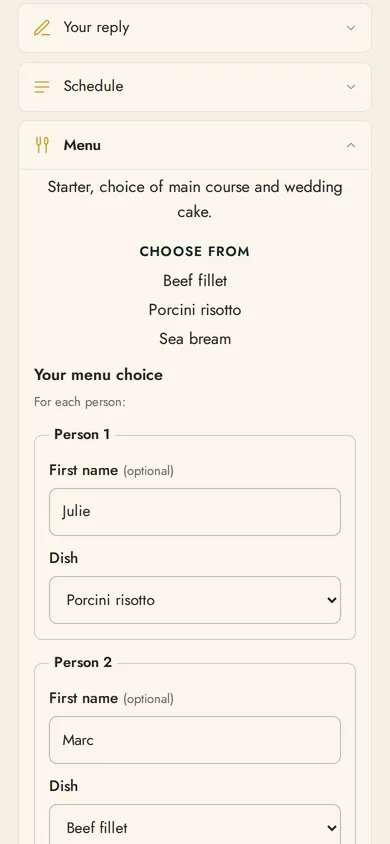
  • Menu

    Each person chooses their dish from the ones you offer.

  • Allergies and diets

    Each person can mention their allergies or dietary requirements.

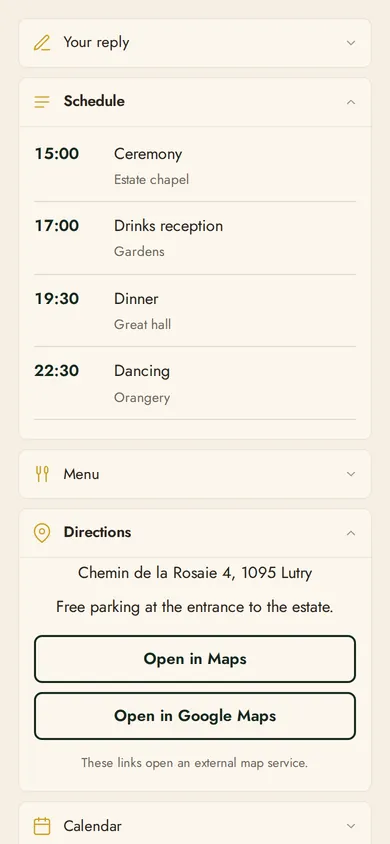
  • Directions

    Give the venue's address, access and parking; your guests open the address in Maps or Google Maps.

  • Schedule and calendar

    Set out the day's schedule: your guests add the event to their calendar in one tap.

  • Your own questions

    Add your own questions (accommodation, shuttle, next-day brunch) and a welcome message for your guests.


Two ways to send it

Fully digital, or with the QR code added to your paper invitation: the choice is yours.

Fully digital

  1. Upload your invitation. An image or a PDF, just as you created it. We never retouch it.

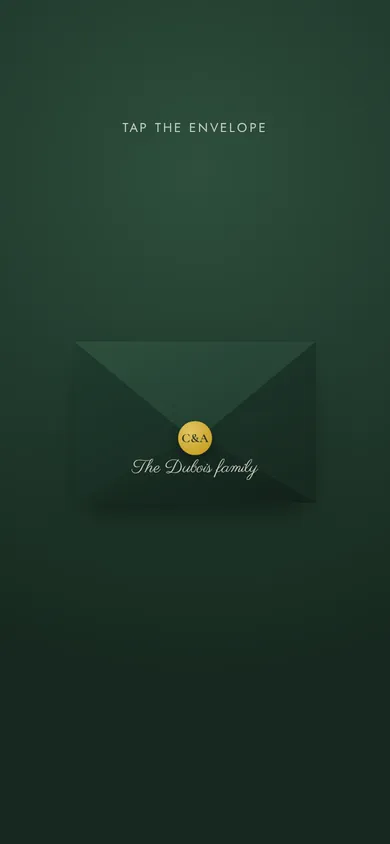
  2. Dress it up: envelope colour, monogram and useful sections (reply, menu, directions, schedule, calendar).

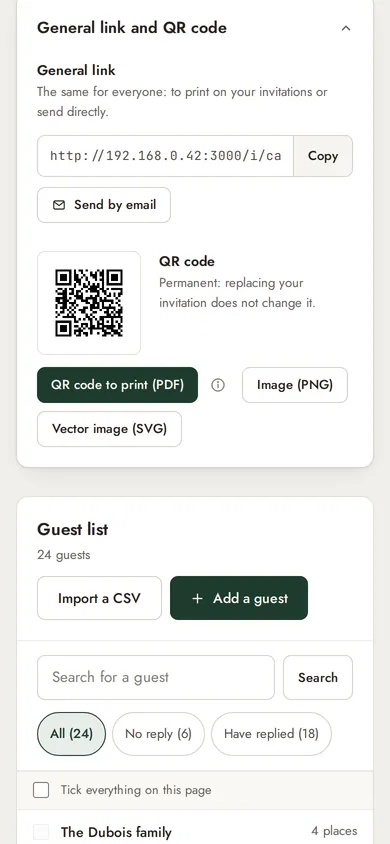
  3. Send the general link, or a personal link to each guest, by email, WhatsApp or text message.

  4. The guest opens the link, discovers the digital invitation and replies.

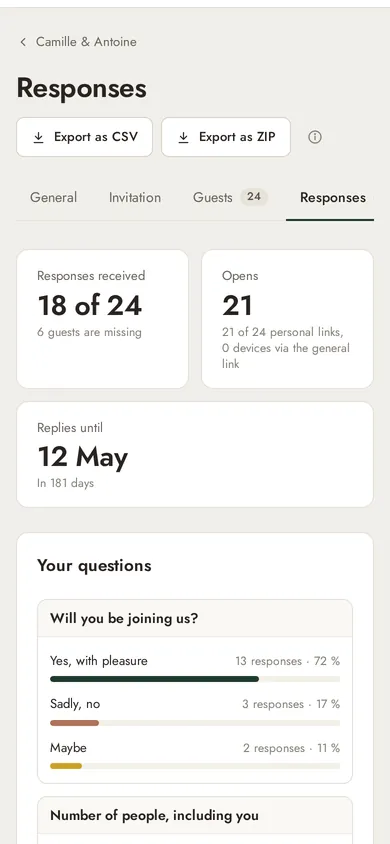
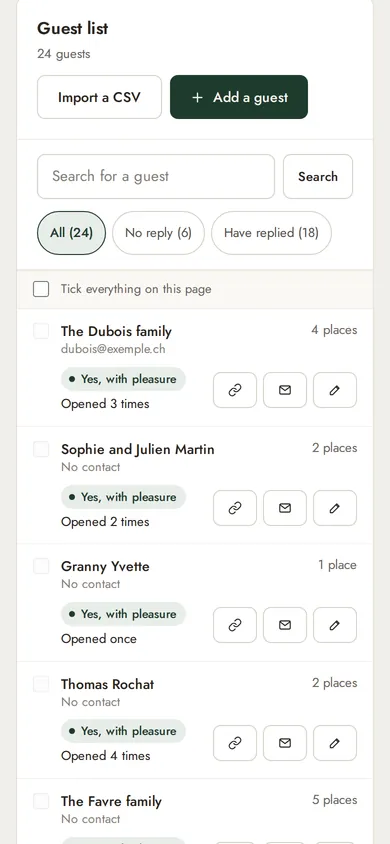
  5. Precise reply tracking. See who has opened their link and who hasn't replied yet.

Ideal if you don't want to print your invitation.

On your printed invitation

  1. Upload your invitation. An image or a PDF, just as you created it. We never retouch it.

  2. Dress it up: envelope colour, monogram and useful sections (reply, menu, directions, schedule, calendar).

  3. Add the QR code to your paper invitation before printing.

  4. The guest scans, discovers the digital invitation and replies.

  5. Simple tracking: no more replies scattered between texts, calls and reply cards. Find every reply in your dashboard.

Ideal if you have your invitations printed.

You can combine both: the QR code on paper, a personal link for those you write to.

The QR code is the same for all your guests: each one gives their name when replying. To track who has opened the invitation, use personal links.


What your guests experience

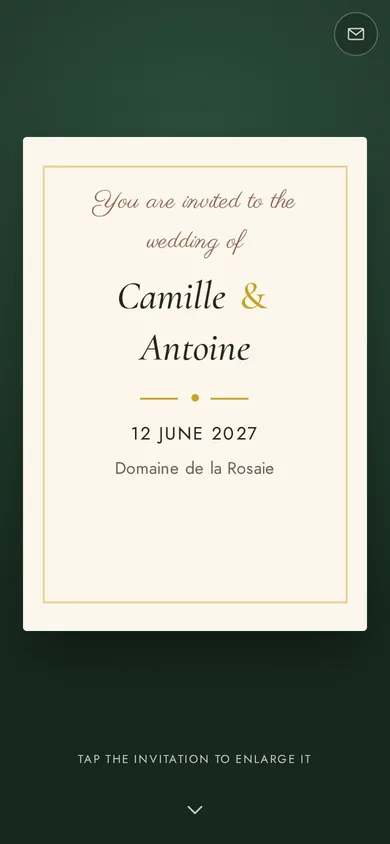
  • Your digital invitation, which they can discover, view or download at any time.
  • The sections just below: reply form, schedule, menu, directions, calendar.
  • A reply in a few seconds, with no sign-up and no app to download.

You follow everything in one place

  • Replies in real time, and the number of people expected.
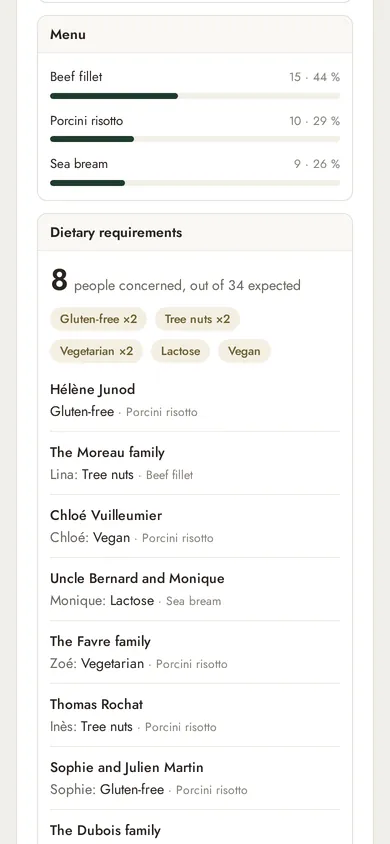
  • The count per dish and everyone's allergies or diets.
  • Link tracking: see which guests have opened theirs.
  • Export of all replies, ready to pass straight on to your caterer or venue.
  • Everything stays editable right up to closing (invitation, envelope, sections), without changing the link or the QR code.

Pricing

Prepare and preview your invitation for free. Pay now, or when you publish.

Multi-event

Ideal for several events or a larger number of guests.

CHF 29 one-off payment

  • Up to 5 events
  • 1,000 responses in total
  • Valid for 1 year from purchase

Professional

Ideal for event organisers.

CHF 49 one-off payment

  • Up to 20 events
  • 5,000 responses in total
  • Valid for 1 year from purchase

Not decided yet? Prepare your invitation for free, and choose your plan when you publish.

Start for free

All plans offer the same features: only the number of events and responses changes. Invite as many people as you like — only the responses count.


Frequently asked questions

Who is this service for?

Anyone organising a private event, for themselves or for their clients: wedding, engagement, birthday, christening, communion, baby shower, housewarming, retirement party, family celebration.

My invitation card is already designed: can I use it?

Yes, that's the idea: upload your invitation card as it is, whether you made it yourself, with a designer or on Canva. We add the reply form and the practical information.

Do my guests need to create an account or install an app?

No. They open the link or scan the QR code, and reply directly from their browser.

Link or QR code: which should I choose?

The link if you send the invitation by message, the QR code if you print it. You can use both.

Can I have one QR code per guest?

No: the QR code is the same for everyone, and each person gives their name when replying. To know who has opened the invitation, send the personal links.

What format should my invitation be in?

A JPEG, PNG or WebP image, or a PDF (only the first page is used), of up to 25 MB. It is shown as it is, without cropping or retouching.

When can I print the QR code?

Once your event is published. After that it never changes, even if you edit the invitation.

Can I change the invitation after sending it?

Yes, at any time: the link and the QR code stay the same, and your guests see the new version.

How many guests can I invite?

As many as you like: only the responses received count. Depending on the plan: 200 responses, 1,000 or 5,000 in total across the subscription's events. A guest who changes their reply only counts once, and one response can include several people.

I'm organising another event later: what should I do?

Simply buy a new plan. It will be valid for one year from purchase, without changing the one you already have.

What happens after the event?

Your guests' page closes on the evening of the event and shows a closing message. Thirty days later, their data is erased. You can export it beforehand.

Can I get a refund?

Yes, on request within 14 days of purchase, as long as you haven't published anything (terms and conditions, article 6).
Make your invitation much more than a pretty card

Try it now, without signing up. You only pay when you publish.

Start for free